- oceans.entp@gmail.com
- 0 Comments
Best Sitting Posture for Office Workers
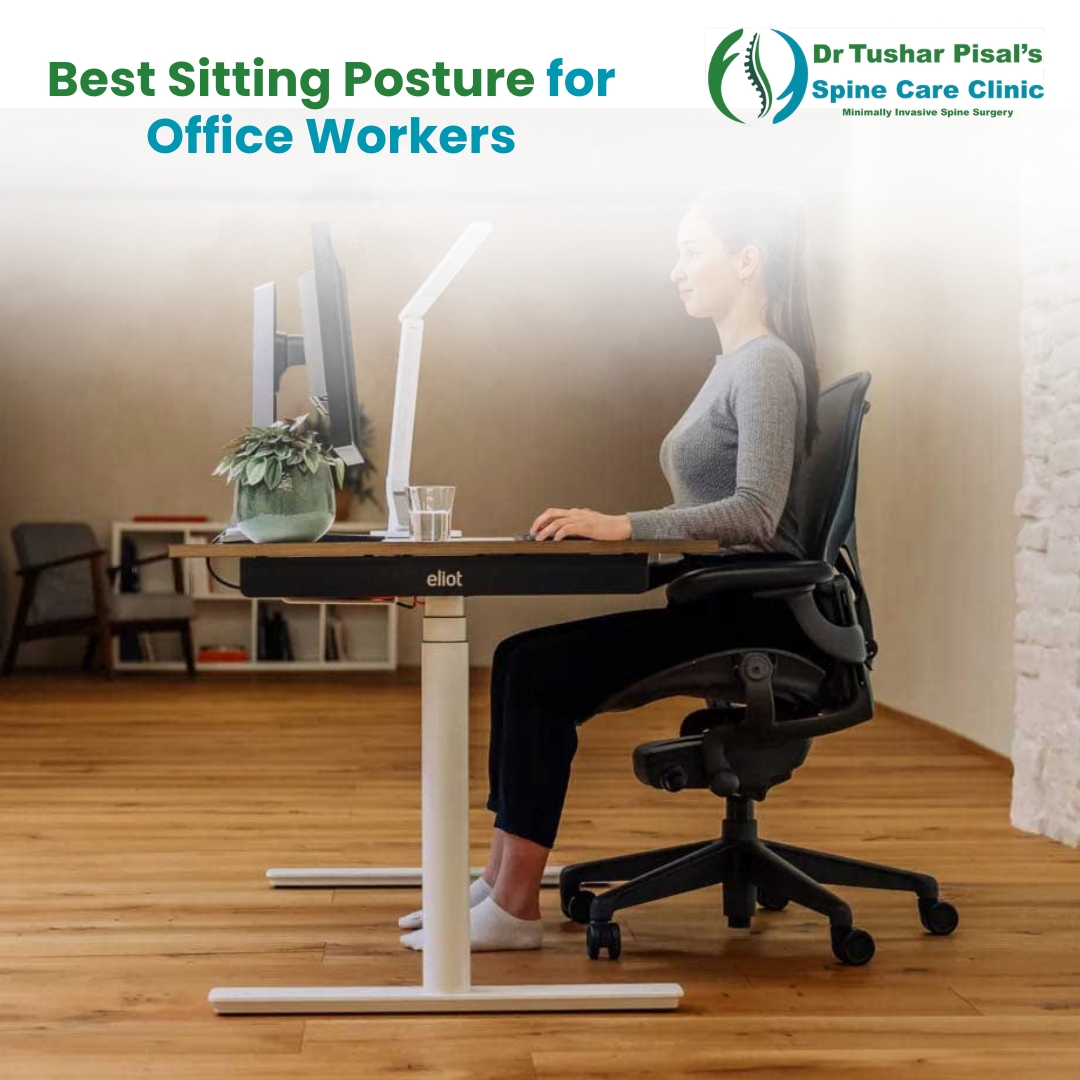
In today’s digital work culture, many professionals spend long hours sitting at a desk. While this may seem harmless, poor sitting habits are one of the leading causes of back pain, neck stiffness, and long-term spine problems. Understanding the best sitting posture for office workers is essential to protect your spine, improve productivity, and prevent chronic discomfort.
Let’s explore how you can sit correctly and keep your spine healthy during long workdays.
Why Sitting Posture Matters
Your spine is designed to maintain a natural curve. However, prolonged slouching or leaning forward places excessive pressure on the spinal discs and surrounding muscles. Over time, this can lead to:
- Chronic back and neck pain
- Muscle fatigue
- Reduced blood circulation
- Increased risk of slip disc and cervical issues
- Poor concentration and productivity
Adopting the right sitting posture helps distribute body weight evenly and reduces strain on your spine.
What Is the Best Sitting Posture for Office Workers?
The ideal sitting posture keeps your spine in a neutral, supported position. Follow these key principles:
- Keep Your Back Straight and Supported
Sit with your back fully touching the chair’s backrest. Your lower back should maintain its natural inward curve. If your chair does not provide adequate lumbar support, use a small cushion or rolled towel behind your lower back.
Tip: Avoid slouching or leaning forward for long periods.
- Feet Flat on the Floor
Your feet should rest comfortably flat on the floor. This helps maintain proper alignment from your hips down to your spine.
- Knees should be at or slightly below hip level
- Avoid crossing your legs for long durations
- Use a footrest if your feet don’t reach the floor
Proper foot placement reduces pressure on your lower back.
- Adjust Your Chair Height
Your chair height plays a major role in maintaining the best sitting posture for office workers.
Correct chair height means:
- Elbows are at desk level
- Forearms are parallel to the floor
- Shoulders are relaxed, not hunched
If your chair is too high or too low, your body will compensate in unhealthy ways.
- Position Your Screen at Eye Level
One of the most common mistakes office workers make is looking down at their screens. This leads to “tech neck.”
Ideal monitor position:
- Top of the screen at or slightly below eye level
- Screen about an arm’s length away
- Head in neutral position (not tilted forward)
Keeping your screen at the right height prevents neck strain and upper back pain.
- Keep Shoulders Relaxed
Many people unconsciously raise or round their shoulders while working. This creates tension in the neck and upper back.
What to do:
- Let shoulders drop naturally
- Keep elbows close to the body
- Avoid reaching forward for the keyboard
Relaxed shoulders are a key part of the best sitting posture for office workers.
- Maintain Proper Hip Position
Your hips should be pushed fully back into the chair. Sitting on the edge of the seat encourages slouching.
Remember:
- Hips all the way back
- Weight evenly distributed
- Avoid leaning to one side
Good hip positioning supports the entire spinal structure.
How Often Should You Take Breaks?
Even perfect posture cannot replace movement. The human body is not designed to sit continuously for hours.
Follow the 30–30 rule:
- Every 30 minutes, stand or stretch for 30 seconds
You can also:
- Take short walking breaks
- Do desk stretches
- Rotate your shoulders and neck
Regular movement improves circulation and reduces stiffness.
Simple Desk Stretches for Office Workers
Adding quick stretches to your routine can greatly reduce spine stress.
Neck stretch:
Gently tilt your head side to side and hold for 10 seconds.
Shoulder rolls:
Roll shoulders backward 10 times every hour.
Seated back stretch:
Sit tall and gently arch your back to restore spinal curve.
These small habits make a big difference over time.
Common Sitting Mistakes to Avoid
Many office workers unknowingly develops harmful habits. Watch out for these:
❌ Slouching forward
❌ Sitting without back support
❌ Crossing legs for long periods
❌ Looking down at laptop screens
❌ Sitting continuously for hours
❌ Using non-ergonomic chairs
Correcting these mistakes is essential for long-term spine health.
When to Consult a Spine Specialist
If you experience any of the following symptoms, it’s wise to seek medical advice:
- Persistent back or neck pain
- Numbness or tingling in arms or legs
- Pain that worsens with sitting
- Frequent stiffness despite posture correction
Early evaluation can prevent minor issues from becoming serious spine conditions.
Final Thoughts
Maintaining the best sitting posture for office workers is one of the simplest yet most powerful ways to protect your spine. Small adjustments in how you sit, position your screen, and take breaks can significantly reduce your risk of chronic back problems.
Remember, good posture is not about sitting stiffly—it’s about sitting smartly with proper support and regular movement. By building these healthy habits into your daily routine, you can work comfortably, stay productive, and keep your spine strong for years to come.
If back or neck pain persists despite posture correction, consulting a qualified spine specialist can help you get the right diagnosis and treatment plan early.